![The Complete Guide to Gemini Image Generation [Updated August 2025]: From Beginner Basics to Practical Business Use](/article-covers/2026-10-05/gemini-image-generation.png)
Google Gemini (whose image generation is powered by Imagen 4) is, as of August 2025, one of the most closely watched image-generation AIs. By combining the Gemini 2.5 (Pro / Flash) text-generation model with the Imagen 4 image-generation backend, it can produce high-quality images through natural conversation.
This article comprehensively covers everything from the basics and how it works to usage, use cases, and important caveats — content that beginners and intermediate users alike can put to work right away.
News: The Model Codenamed "nano banana" Released as "Gemini 2.5 Flash Image Preview" — A New Leap Forward for Image-Generation AI (August 27, 2025)
What Is Gemini Image Generation? The Basics
An Overview of Google Gemini and Where Imagen 4 Fits In
Google Gemini (whose image generation is powered by Imagen 4) is a multimodal AI system developed by Google. Gemini 2.5 (Pro or Flash), which handles text generation, works together with Imagen 4, a dedicated image-generation engine, to produce high-quality images through natural conversation.
As of August 2025, Imagen 4 offers dramatically improved text-rendering quality compared to the previous Imagen 3, achieving a major leap forward in how it depicts text within images. It supports up to 2K resolution (2048x2048 pixels) and is up to 10 times faster than the previous version.
How It Differs From — and Stands Out Against — Other Services
The biggest distinguishing feature of Gemini's image generation is its conversational, iterative approach. Where ChatGPT's DALL-E 3 or Midjourney generate an image from a single instruction, Gemini lets you refine an image step by step through conversation.
As mentioned in the article below, Gemini is capable of producing remarkably natural-looking images.
Comparison With Major Competitors:
| Service | Strengths | Best For |
|---|---|---|
| Gemini + Imagen 4 | Conversational refinement, Japanese-language support, cost efficiency | Iterative production, business use |
| Midjourney | Artistic quality | High-quality art creation |
| ChatGPT (4o) | Accuracy in English-language contexts | Text integration |
Free-Tier Limits and Features
What's appealing about Gemini's image generation is that even free users can create high-quality images. The free tier does have a daily usage limit, though the exact cap isn't publicly stated. It's said to be generous enough for typical everyday use, and even if you hit the limit, you can use it again after waiting a while.
How to Generate Images With Gemini
Basic Usage
Log In With a Google Account
In your browser, go to gemini.google.com and sign in with your Google account.
Enter a Prompt
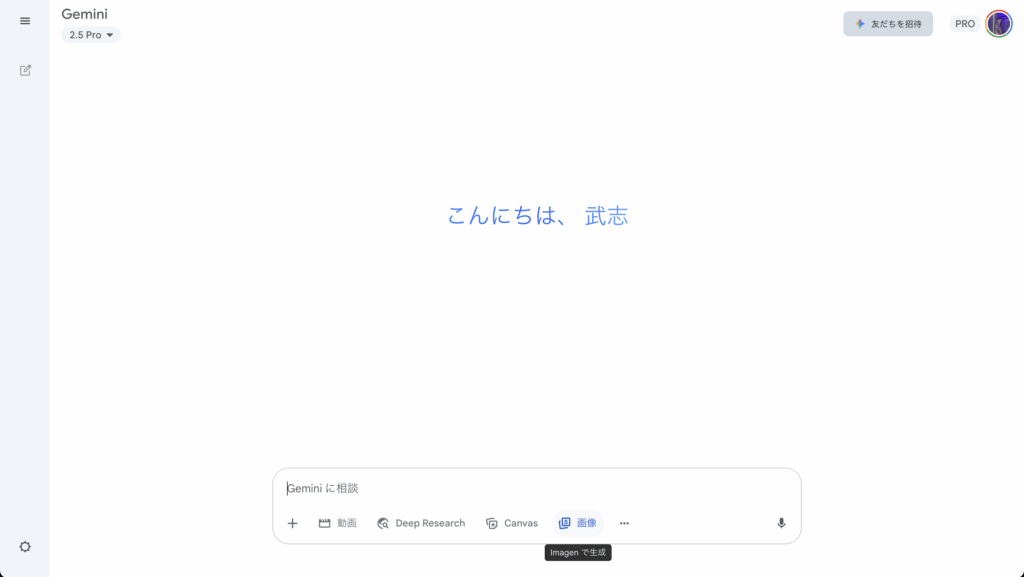
On the chat screen that appears after logging in, type a specific image-generation instruction into the text field in Japanese.
Generate the Image
Click the send button. The AI generates an original image in anywhere from a few seconds to tens of seconds.
Save the Image
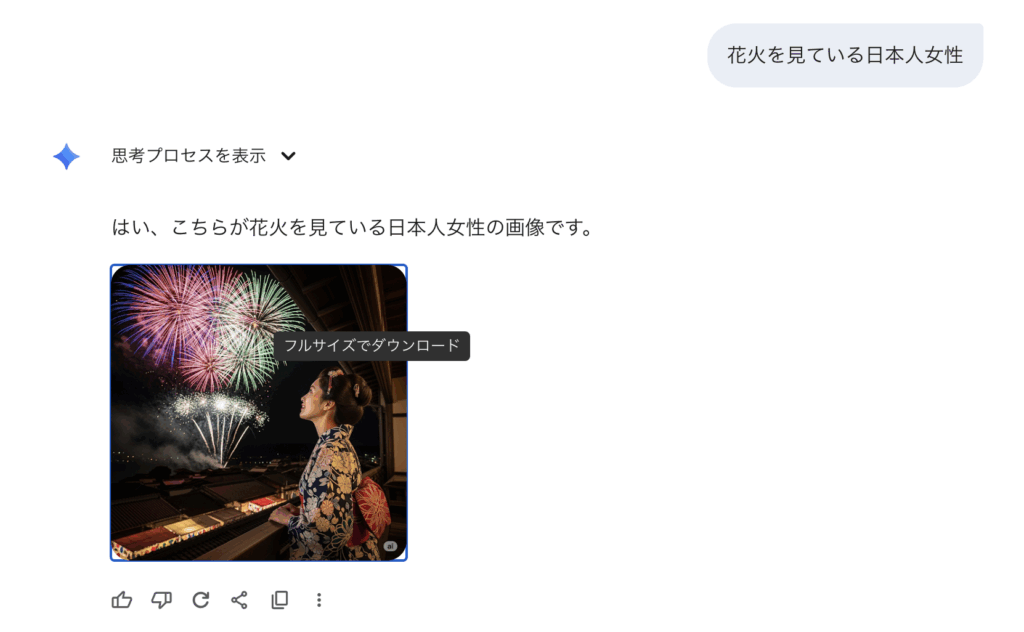
Click the "Download" button below the generated image to save it. On a smartphone, you can also save it by long-pressing the image.
Tips for Writing Prompts
Specific descriptions are key to generating effective images. For example:
Prompt
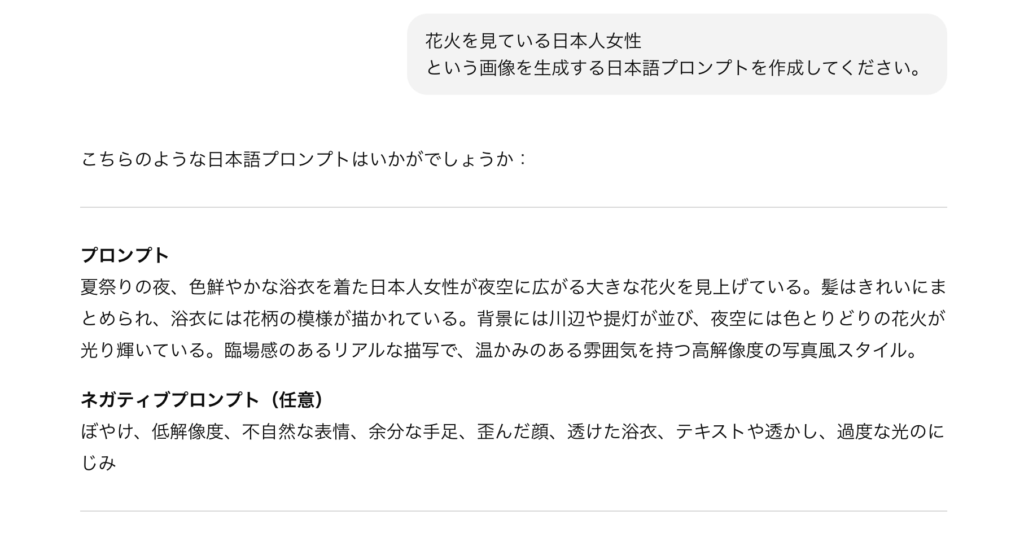
At a summer festival at night, a Japanese woman in a vividly colored yukata looks up at large fireworks spreading across the night sky. Her hair is neatly styled, and her yukata is patterned with flowers. In the background, a riverbank lined with lanterns, and a night sky glowing with colorful fireworks. A vivid, realistic depiction, high-resolution photorealistic style with a warm atmosphere.
Negative prompt
blurry, low resolution, unnatural expression, extra limbs, distorted face, see-through yukata, text or watermarks, excessive light bloom
Depending on how you craft your prompt, you can get anything from a simple picture to an elaborate composition — that range is part of the appeal.
Writing Prompts With ChatGPT
When you need to write a long prompt like the one above, go to ChatGPT and ask it to write the prompt for you, as shown below.
Example: "Please write a Japanese-language prompt for generating an image of a Japanese woman watching fireworks."