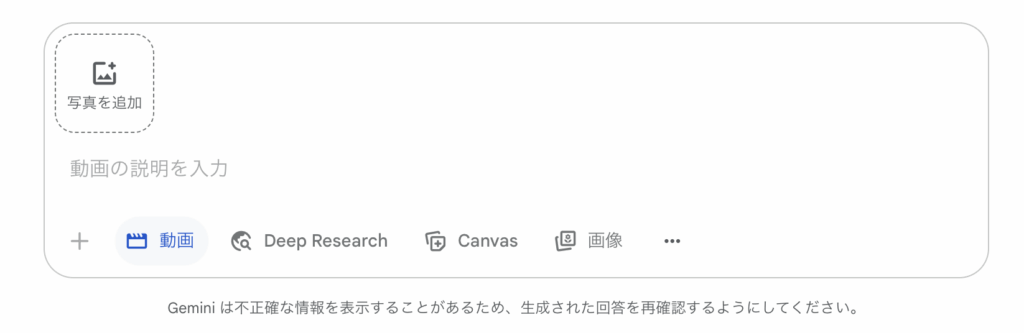
Google's Gemini is an innovative AI tool that can automatically generate high-quality video from text prompts. Powered by the latest video generation models, “Veo 2” and “Veo 3,” it can create an 8-second video clip in just a few minutes.
As of August 2025, Gemini's video generation feature is being rolled out gradually and is available to Gemini Advanced (paid plan) subscribers. For Google Workspace, you'll need to add Google AI Ultra for Business.
Basic Usage
Step 1: Select Video Generation Mode
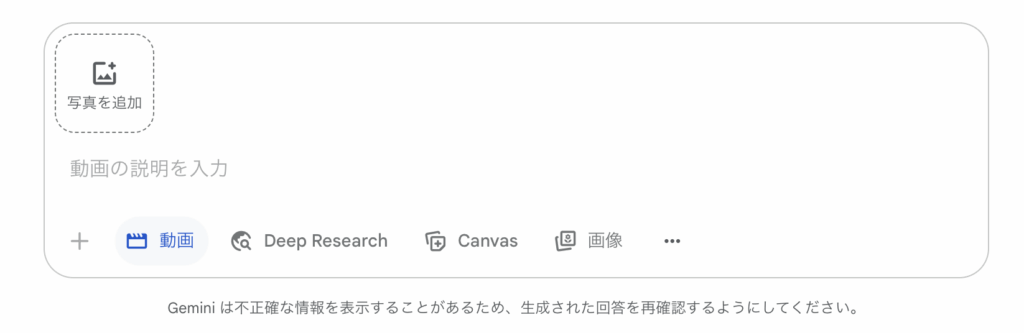
In the Gemini chat screen, click the “Video” button below the input field to switch to video generation mode. You can also select “Veo 2” from the model picker at the top of the screen.
Step 2: Enter a Prompt
Describe the video you want to create specifically, in Japanese or English. Tips for an effective prompt:
- Describe the characters, setting, motion, and mood in detail
- Aim for a description vivid enough to picture the scene—for example, instead of “a dog running,” write “a golden retriever happily bounding across a green lawn under a blue sky”
Step 3: Generate and Review
After you submit your prompt, the video is ready in one to two minutes. You can preview and play the generated video right in the chat screen, and if you're not satisfied, you can adjust the prompt and regenerate it.
Latest Feature: Generating Video from an Image
As a new feature added in July 2025, it's now also possible to generate an 8-second video from a still image. It's simple to use: just select “Video” from the tool menu in the prompt box, upload the source photo, and enter a prompt.
Tips for Beginners
Key Points for Writing Prompts
- Aim for specific descriptions
- Spell out the characters' features (hair color, clothing, and so on)
- Give detailed setting information (location, time of day, weather, and so on)
- Specify motion and expressions concretely
- Specify a visual style (anime-style, live-action-style, and so on)
Example of an Effective Prompt
Japanese digital anime style. A girl is dozing off under a large cherry blossom tree. As cherry petals drift down around her, she slowly wakes up and whispers “good morning” with a slightly bashful look.
Full-Scale Video Production with Google Flow
Gemini's video generation feature is also available through a dedicated video production platform called Google Flow. At this time, however, only English-language prompts are supported. Flow is positioned as the official release version of VideoFX, and it's evolving into a comprehensive AI video production tool that integrates Veo, Imagen, and Gemini.