Screenshots show the official pages on the capture date and may differ from the pages at publication. Select an image to enlarge it.
On November 20, 2026, OpenAI began gradually rolling out ChatGPT's "Space" to Plus users aged 18 and over worldwide. Space is a place where you create pages and presentations together with ChatGPT and invite others to finish them collaboratively. It was announced at the developer event "DevDay 2026" on September 29 and had until now been available only on the Pro, Business and Enterprise plans. The expansion was announced in ChatGPT's release notes.
What Space is
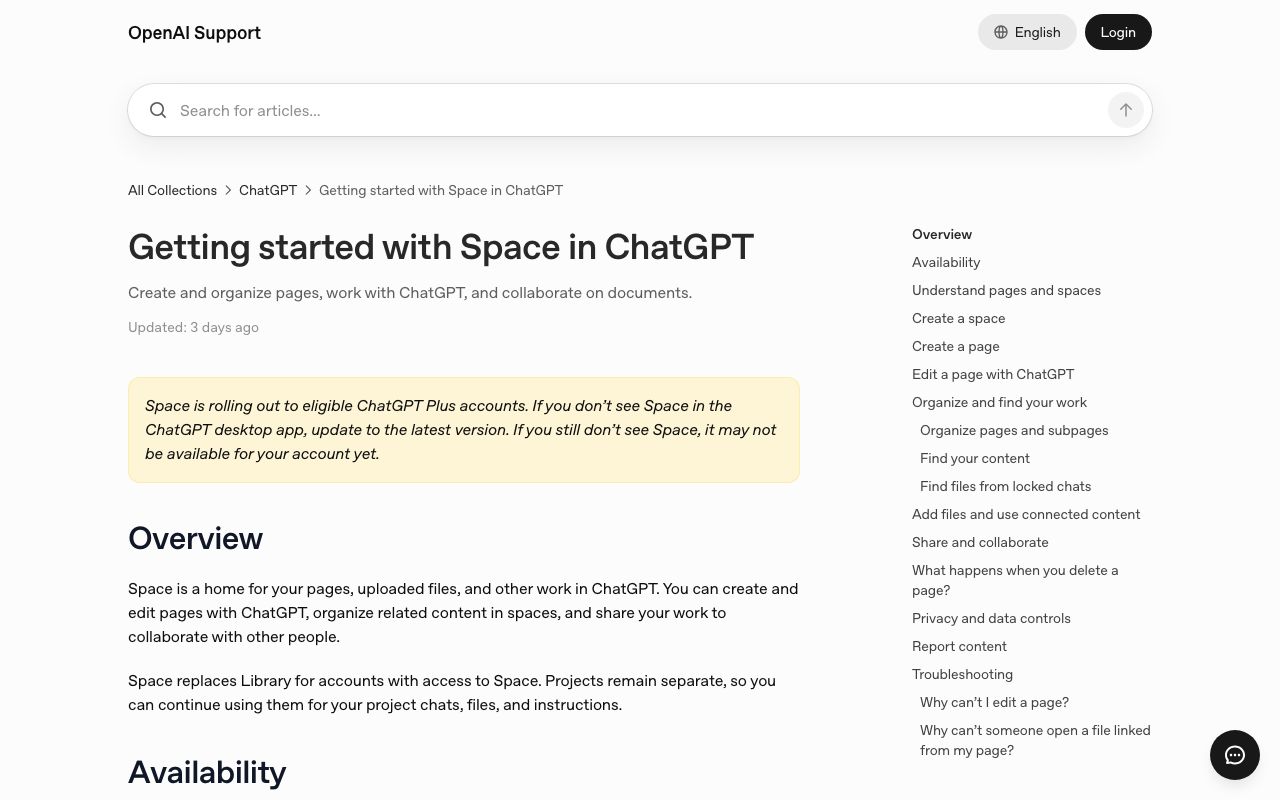
OpenAI's help article describes Space as "a place in ChatGPT that brings together pages, uploaded files and your other work." There are two main things you create in it.
- Pages: editable documents, used for project overviews, meeting notes, research summaries, team updates and more. You can create subpages under a page to build a hierarchy
- Slides: presentations. They can be exported to PowerPoint, PDF and Google Slides
Related content is grouped into units called "spaces," which you can organize with folders and pages. You can create content by turning a conversation into a page, starting from a template, or writing directly in Space. Besides editing the text yourself, you can ask ChatGPT to rewrite it or to add charts or interactive content.
Space replaces the previous "Library." Opening Space from the sidebar brings together your pages, slides, images and uploaded files.
What Plus users can now do
According to the November 20 release notes, Plus users can:
- Create interactive pages and presentations together with ChatGPT
- Invite other people who have access to Space to edit together
- Set pages and slides to update automatically based on content from connected apps and tools
- Mention ChatGPT in a comment to ask for specific changes
- Invite "dot," an always-on agent, to collaborate if they have one
As examples, OpenAI cites a to-do list that updates itself, study notes containing a 3D model you can rotate, and a project plan that keeps reflecting decisions made in Slack.
It is available on the Web, the desktop app, iOS and Android. At the September announcement it was only on the Web and the desktop app, but the latest release notes say pages can also be created and edited on iOS and Android. Note, however, that the Slides help article lists only the Web and the desktop app, and does not say whether slides can be edited on a phone.
Sharing conditions and caveats
To open a shared page or presentation, you need permission to view it and must be signed in to a Plus, Pro, Business or Enterprise account that has access to Space.
- People on the Free plan cannot open shared pages or presentations
- Public links that anyone can view cannot be created
- Sharing a page does not reveal your private conversations or memory (information ChatGPT remembers) to others
- Shared content may be used for training, depending on the ChatGPT settings of the people who load or create it
You must be 18 or over to start using Space. According to the Slides help article, Plus users can still edit slides by hand after reaching their message limit. Limits such as the number of pages or file sizes are not stated in the help articles.
How Slides and Space relate
"Slides," launched on October 16, is the feature for creating presentations within Space (for details, see ChatGPT Launches "Slides" for Creating and Co-Editing Presentations). Space is the storage and sharing system, and Slides is one of the things you create in it. For that reason, Slides can only be used with accounts that have access to Space.
At launch, Slides was available on Pro, Business and Enterprise, but the current help article also includes Plus accounts with access to Space. The help article says the spreadsheet feature "Sheets" will also be added soon. Other DevDay 2026 announcements are summarized in our article on OpenAI DevDay 2026.
CoAI's take
Space expands ChatGPT from "a place that answers questions" into a place to create documents and materials and finish them with other people. It can be seen as combining a collaborative editing tool like Notion or Google Docs with AI-powered creation and automatic updates. Now that a feature once limited to the pricier Pro and business plans is available on the individual Plus plan, far more people will be able to try it. It is described as a worldwide rollout, so Plus users in Japan are also expected to get it in turn.
On the other hand, Free users cannot open shared pages and there are no public links, so to show content to people outside your organization or on the Free plan, you will need to export it to PDF or another format. Before handling work information, it is also worth checking that shared content may be used for training depending on the other person's settings, and that information from connected apps is reflected in pages.